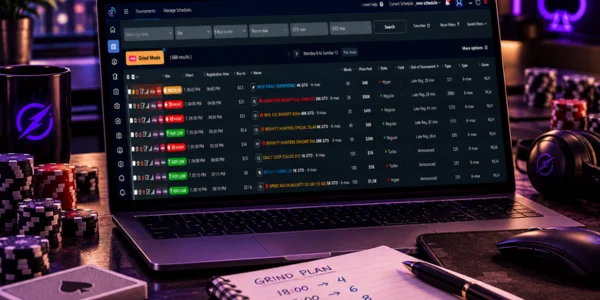
If you decide your session volume by looking at the total number of tournaments you registered, you’re aiming at the wrong target. The number that actually puts the squeeze on you is how many tables you’re playing at the same time during the worst minute of the session, and that peak usually hits well after your last registration.
The practical answer to how many tournaments to open: pick the number of entries that produces, at peak, the number of tables where you can make every decision without dipping into your time bank. Finding that number takes three or four sessions of tracking, and it shifts depending on the mix of formats you register. The rest of this post is the method for finding yours and raising it without wrecking the session you test it in.
What’s the difference between tables open and tournaments registered?
Registering is a scheduling decision. An open table is an instant workload. The same 20 entries can produce a peak of 7 tables or 17, depending only on how those 20 tournaments are spread across the clock.
The difference shows up in four places. Tournaments start at different times, so part of your schedule hasn’t opened yet while you’re already playing. Busts close tables all along the way, and most of your entries die in the first few hours. Late registration and re-entries add tables after the start, including in tournaments you didn’t plan to play when the session began. And a deep run keeps a table alive for hours, cutting across whole blocks of new registrations.
An example with round numbers: 20 entries spread over four hours, with most busts happening 40 to 70 minutes into play, tends to produce a moderate peak. The same 20 entries crammed into a 40-minute window put almost every table in play at once. The question of how many tables to play only makes sense once you separate those two counts, which is why any serious volume planning starts with a tournament schedule manager that shows start times side by side instead of a loose list of registrations.
How do you find your current cap on simultaneous tables?
Your cap is the highest peak table count at which the number of rushed decisions stays close to zero. To measure it, you need two numbers per session: the actual peak number of open tables and a count of decisions where you burned your whole time bank or acted on autopilot.
The process fits into four sessions. In the first, play your usual volume and log your table count every 15 minutes, plus the total number of rushed decisions. In the next ones, raise your volume by one or two peak tables. Reading the results is straightforward: if you had 2 rushed decisions at a peak of 9 tables and 11 at a peak of 12, your cap is between 9 and 10, not 12. If you want to be stricter, count execution errors separately, since they’re easier to audit than strategy errors: clicking on the wrong table, folding a hand you meant to play, missing a raise in front of you.
Always use the same tool to count your peak. The table counter in the site’s own client, the poker lobby’s active tournaments tab or the schedule view in a poker tournament tool all work, as long as you don’t switch sources mid-test. Change the measuring stick halfway and you end up arguing about the number instead of deciding on volume.
Why does your peak table count hit 2 to 3 hours after your first registration?
Because in the first few hours, more tables open than close. Late reg and re-entries keep adding tournaments while the earlier ones are still running, and the bust curve only starts closing more tables than you’re opening after that stretch.
The math is simple. If you join 4 tournaments every 30 minutes for two and a half hours, you get to 20 entries. At that point, the first 4 may already be over, but the other 16 are alive or could still be. Your peak isn’t the sum of your registrations, it’s your registrations minus the busts so far, and that subtraction only gets generous later on.
That same window concentrates something else: bubbles. Tournaments registered around the same time tend to approach the money around the same time. So the moment you have the most tables open is usually also the moment decisions are worth the most, which is the worst possible setup. Re-entry formats make it worse, because a bust that should close a table opens another one, and anyone who plays a lot of re-entries needs to understand how rebuy and knockout tournaments change your live table count before comparing volume with someone who only plays freezeouts.
How does your tournament mix (turbo, regular, deep) change your cap?
Turbos compress decisions into a short window and drag your cap down. Deep stacks spread decisions out and let you run more tables at once, at the cost of a longer session. Regular-speed sits in between and works as your baseline for calibrating.
It’s not just blind speed that changes. It’s the density of tough decisions per minute. In a turbo, stacks get short fast, shove-or-fold spots multiply and the window to think shrinks. In a deep-stack tournament, a lot of the early hands can be played almost mechanically, and the expensive decisions come later and further apart. If you build your schedule with lots of turbos and the same number of entries you’d use for regular-speed events, you’re effectively increasing your volume without noticing. If you want to understand the blind structures behind this, the comparison of regular, turbo and hyper formats shows why the same buy-in demands different levels of attention.
| Format | Decision density | Effect on your table cap | Where it fits in the session |
|---|---|---|---|
| Turbo | High: short stacks early and lots of shove-or-fold spots | Lowers your cap, because every table needs a fast response and doesn’t tolerate waiting | In the first block, while you still have only a few tables open |
| Regular | Medium: decisions spread across several blind levels | Your reference point for the cap; this is the format you measure in | In the body of the session, as the base of your volume |
| Deep stack | Low early and high late, with deeper-stacked hands | Lets you run more tables early, but stretches your peak out longer | In your first registrations, so the heavy stage lands after the peak |
| Hyper | Very high: almost every decision is short-stacked and under pressure | Cuts your cap hard; just a few of them fill up a session | In a dedicated session, not mixed into the peak table count of other formats |
| Turbo plus deep mixed in the same block | Uneven: two rhythms fighting over the same minute | Drops your cap more than the average of the two, because it forces constant context switching | Avoid it, or split them into different time blocks |
What signs tell you you’ve gone too far in a session?
Three signs show up before your results get worse: your decision time starts regularly running into the time bank, folds start coming out on autopilot in hands you’d normally play, and fatigue turns into missing information that’s right there on the screen.
Decision time is the easiest one to spot. The time bank is there for tough spots. When you’re reaching for it on routine decisions because three tables needed action at once, the problem is volume, not difficulty. The second sign is the autopilot fold: half a second after clicking, you realize the hand was playable and you had good position. That means the table got put in the queue and got the cheapest available action instead of the right one.
The third sign is quieter. You can no longer tell your opponent’s effective stack without looking, you stop noticing who entered the pot before you, you lose track of how many players are left until the money. The information is still on screen, it just isn’t being processed. At that stage, cutting two tables gets back more equity than any range adjustment, and that’s where a set pre-grind and post-grind routine pays for itself: a bad night’s sleep and no warm-up knock down your cap for the day before you’ve played a single hand.

How do you test a volume increase without blowing up the whole session?
Add 1 or 2 peak tables at a time, put the increase in your first block of registrations and keep everything else the same: same start times, same formats, same buy-ins. A test with two variables tells you nothing.
The safety rule is to have an exit plan set before you start. Decide ahead of time what you’ll do if your peak goes over your cap: stop registering, unregister from tournaments that haven’t started yet, or accept the overflow and end the session early. Deciding that mid-peak, with four tables asking for action, doesn’t work. Buy-ins factor in too: testing new volume and new stakes in the same session turns variance into an excuse for any result, and if you’re still building your repertoire of formats, you’ll get more out of following a clear standard for choosing which tournaments to play than out of adding tables.
Staggered registration: spreading your entries across time blocks
Staggered registration means splitting your entries into blocks and making each new block conditional on the state of the previous one. One possible setup for 12 entries: block 1 with 5 entries between 7:00 and 7:30 p.m., block 2 with 4 entries between 8:00 and 8:30 p.m., block 3 with 3 entries until 9:00 p.m., and no registrations after that. The condition is the part that matters: block 2 only opens if your current table count is below your cap, and block 3 only opens if none of your block 1 tables are near the bubble.
This structure solves the problem described earlier, where your peak lands two or three hours after your first registration. By tying each block to a check, you move the volume decision inside the session, where the information actually exists. It’s worth keeping a fixed last-registration time, worked out from when you plan to quit: a tournament registered at 10:30 p.m. can have its final table at 3 a.m., and a session that ends in exhaustion delivers worse decisions exactly where the money is.
What do you do when two tournaments hit the bubble at the same time?
Set your priority before the situation comes up, with a fixed rule, and handle the lower-priority table with pre-made decisions. Improvising a pecking order in the middle of the overlap is what produces the most expensive mistake of the session.
A priority order that works: the table where your stack is in the critical decision zone, between 8 and 20 big blinds, wins, because that’s where a one-click mistake costs the biggest chunk of expected value. If both are in that zone, the one with more prize money on the line wins. If it’s still a tie, the one closest to the bubble bursting wins, since the weight of each hand grows in the last few spots before the money.
At the secondary table, three things limit the damage. Pre-decide your shoving and folding range for your stack before the bubble arrives, so the action comes out without fresh calculation. Use your opponents’ thinking time, not yours, to check the other table. And don’t register anything while two bubbles overlap, not even a cheap tournament: a new entry in that minute steals attention from the most valuable stretch of your session. How much this matters depends on the structure, because in freezeout tournaments busting on the bubble ends your day in that event, with no second chance.
How do you measure the results of a volume increase the following week?
Compare three numbers with the previous week, keeping your total buy-ins invested roughly the same: average peak table count per session, rushed decisions per session and ITM. Financial results in MTTs need a big sample, so they’re an observation, not a verdict.
Read them in this order. If your peak went up and rushed decisions stayed at the same level, you absorbed the increase and can test another step. If your peak went up and rushed decisions doubled, you went over your cap, regardless of what your graph says that week. If your peak went up, rushed decisions rose a little and your ITM dropped, the most likely explanation is still variance, and the right call is to repeat the week before changing anything.
Two complementary metrics help. Session hours per buy-in shows whether you’re paying for the extra volume with screen time instead of efficiency. The number of tournaments where you reached the final 20 percent of the field tells you whether your decision quality in the expensive stages held up under the increase. These numbers only exist if you log your sessions, and a structured session review is worth more here than memory, because your peak table count is exactly the stretch you remember worst. If you play in a poker stable or study group, you get an extra edge: comparing caps and peaks among people who play the same schedule separates individual limits from a problem with the time slot you picked.
So, how many tables should you play?
Grind volume gets planned around the peak, not the total. That changes the question you ask before registering: instead of how many tournaments fit in my bankroll today, it’s how many tables can I handle at once at 9:30 p.m., when the bubbles line up. Staggered registration, a format mix chosen on purpose and a cap measured in real sessions solve the problem more reliably than any number someone else recommends, because your cap is personal and moves with sleep, format and recent practice. If you want to start today, you only need two things: your schedule laid out with start times side by side and a notebook to log your peak and your rushed decisions. The rest is repetition.
Frequently asked questions
What is grinding in poker?
Grinding means playing regularly with planned volume, looking for results in the sum of many sessions rather than in any one tournament. In practice, it means treating start times, number of entries, formats and breaks as decisions made in advance, not choices made on impulse every night.
Where do I find the tournament schedule, and how do I filter by game type and buy-in before registering?
In the site’s own lobby, under the tournaments tab, using the format, buy-in and start time filters, or in an external manager that pulls the schedules from multiple sites onto one screen. The manager pays off when you play on more than one site: filtering by buy-in in a single list keeps you from registering two tournaments that start in the same minute without noticing.
Is there an online poker app that sends an email when a tournament is about to start?
It depends on the site and the tool, and the feature usually varies between in-app notifications, desktop alerts and email. Before counting on email alerts to run your staggered registration, check the feature list of the service you use.
How many tables should I play if I’m just starting out?
Start with two and add one at a time, only after a full session with no rushed decisions. The temptation is to jump straight to four or six because the software can handle it, but the software isn’t the limit: the limit is how many tables you can follow while knowing stacks, position and prior action without having to reread the screen.
Does increasing volume hurt your ROI?
Increasing volume past your cap hurts your ROI, while increasing within your cap usually keeps decision quality intact. The problem is that confirming it through ROI takes hundreds of tournaments, so the call on whether to add tables should rely on rushed decisions per session, which you measure the following week.
Should you register a new tournament during your peak table count?
No, if your peak is already at your cap: a new entry at that moment competes with the bubbles that are happening. The reasonable exception is a satellite or cheap tournament registered once your table count is already coming down and none of your tables are close to the money.